What Is an Ecommerce Website?
An ecommerce website is any site that facilitates the buying and selling of products and services.
Digital marketplaces, online retail stores, and auction sites are considered ecommerce sites because they enable consumers to buy goods.
Any business owner with a product or service to sell can benefit from an ecommerce site, including the following:
- A small business trying to get local customers
- A freelancer selling their services
- A large corporation showcasing its products
Pro tip
Grow your online store with Semrush for Ecommerce, an all-in-one solution to optimize your store and promote your products.
What Is Ecommerce?
Ecommerce, which stands for “electronic commerce,” is the buying and selling of products and services over the internet. This includes all types of industries, such as retail, electronics, grocery, education, entertainment, delivery, and more.
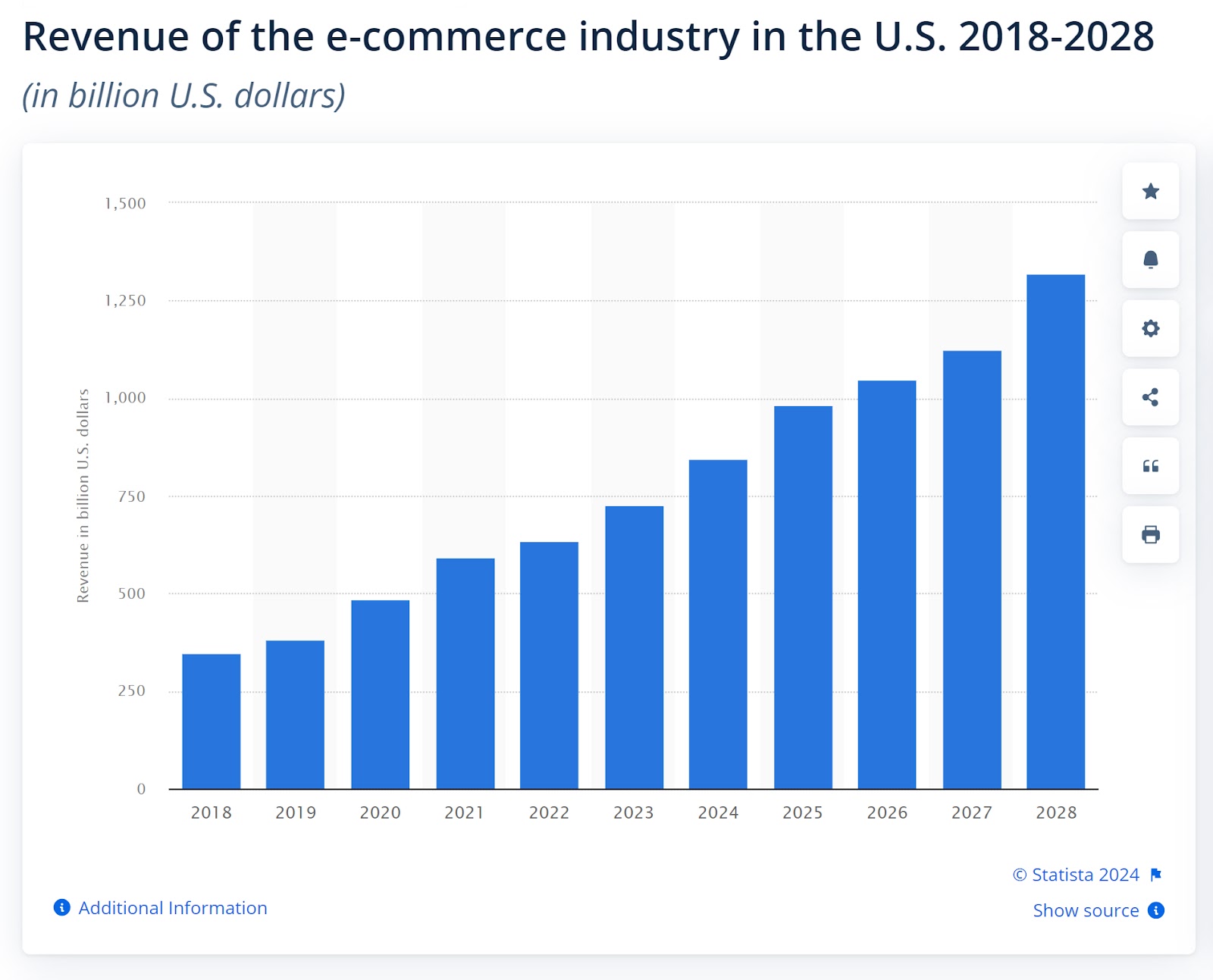
According to Statista, revenue in the U.S. ecommerce market is predicted to grow 43.58% between 2024 and 2028. This increase in growth is forecasted to be worth $462.7 billion U.S. dollars.
How Does Ecommerce Work?
Ecommerce works in multiple ways: Merchants can create their own ecommerce site, set up an online store on an ecommerce platform like Shopify or Magento, or create a storefront on a marketplace like Amazon or eBay.
Regardless of the method, all stores must have secure payment gateways to facilitate payments and comply with Payment Card Industry (PCI) Data Security Standards.
Here’s a look at the process:
- Shoppers visit an online store or website and browse products using a variety of devices, such as smartphones, laptops, desktops, tablets, and smart TVs and watches.
- Customers typically add the products they want to buy to a virtual shopping cart. The shopping cart keeps track of selected items, quantities, and total costs.
- When customers are ready to purchase, they proceed to the checkout page. They provide shipping information, select a payment method, and review their order before finalizing the purchase.
- The seller receives a notification of the order
- The vendor then prepares the products for shipping to the customer
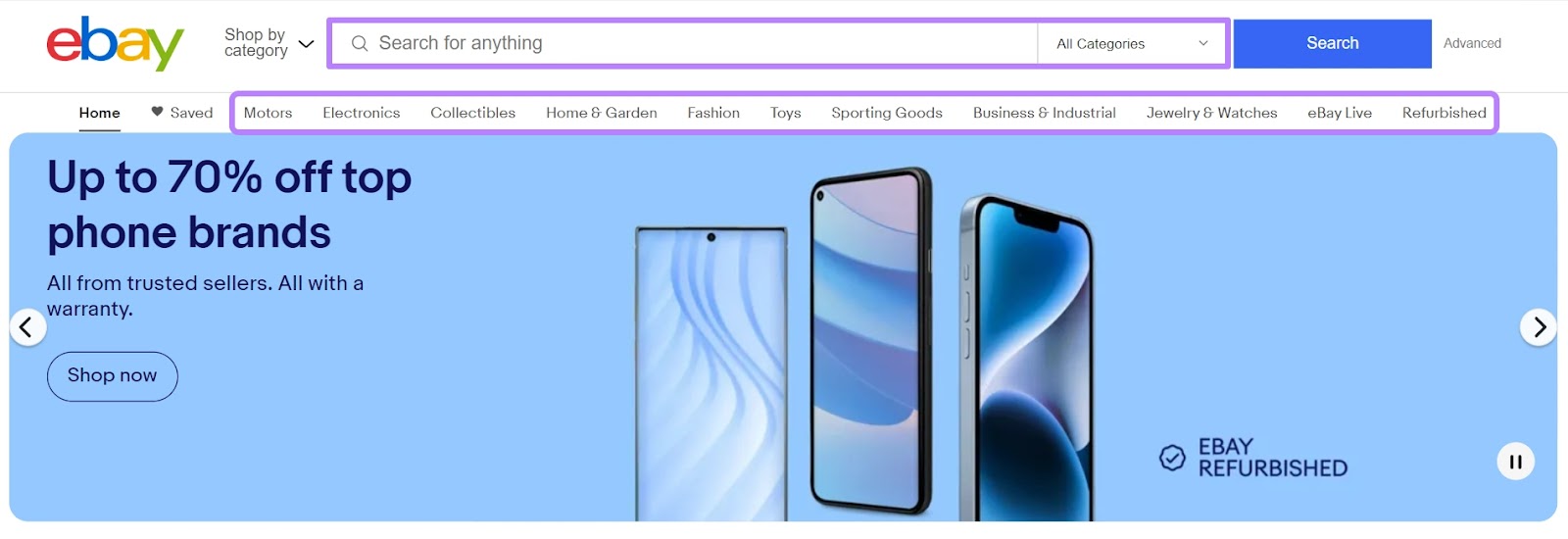
An excellent example of an ecommerce website is the eBay marketplace. Shoppers search for specific products using the search bar or relevant product categories on the main menu.
What Should an Ecommerce Site Do?
A great ecommerce site can do a variety of things, from helping you sell your products to providing an excellent user experience (UX) for customers.
Here’s a look at what ecommerce sites should have in order to successfully meet website owners’ (and users’) needs:
- User-friendly interface: Ensure intuitive navigation and easy access to products and services
- Secure payment gateway: Implement SSL certificates and PCI compliance for safe transactions
- Product catalog: Organize products into categories with detailed descriptions and high-quality images
- Shopping cart: Allow users to add, remove, and modify items before checkout
- Mobile responsiveness: Optimize the site for seamless viewing and functionality across various devices
- Search functionality: Enable users to quickly find specific products or categories
- Customer reviews and ratings: Provide social proof and aid in decision-making for potential buyers
- Order management system: Track orders, manage inventory, and process shipments efficiently
- Customer support: Offer multiple channels for assistance, such as live chat, email, and phone support
- Analytics and reporting: Monitor site performance, track user behavior, and gain insights for optimization
- Legal compliance: Ensure adherence to data protection laws, terms of service, and privacy policies
- SEO optimization: Optimize content and metadata to improve search engine rankings and visibility
- Mobile optimization: Google recommends that content on mobile pages should load in under 3 seconds.

Image Source: Think with Google
If business owners don’t have the budget or time to invest in creating a high-quality ecommerce site, established online marketplaces or online stores that provide these features can be a great alternative.
Further reading: UX and SEO: The Best Strategy for Getting Results
Types of Ecommerce Businesses Explained
Ecommerce comes in many forms. Here’s a quick rundown of the major ecommerce business types.
Business-to-Consumer (B2C)
A B2C business is an online business that sells goods or services directly to individual consumers.
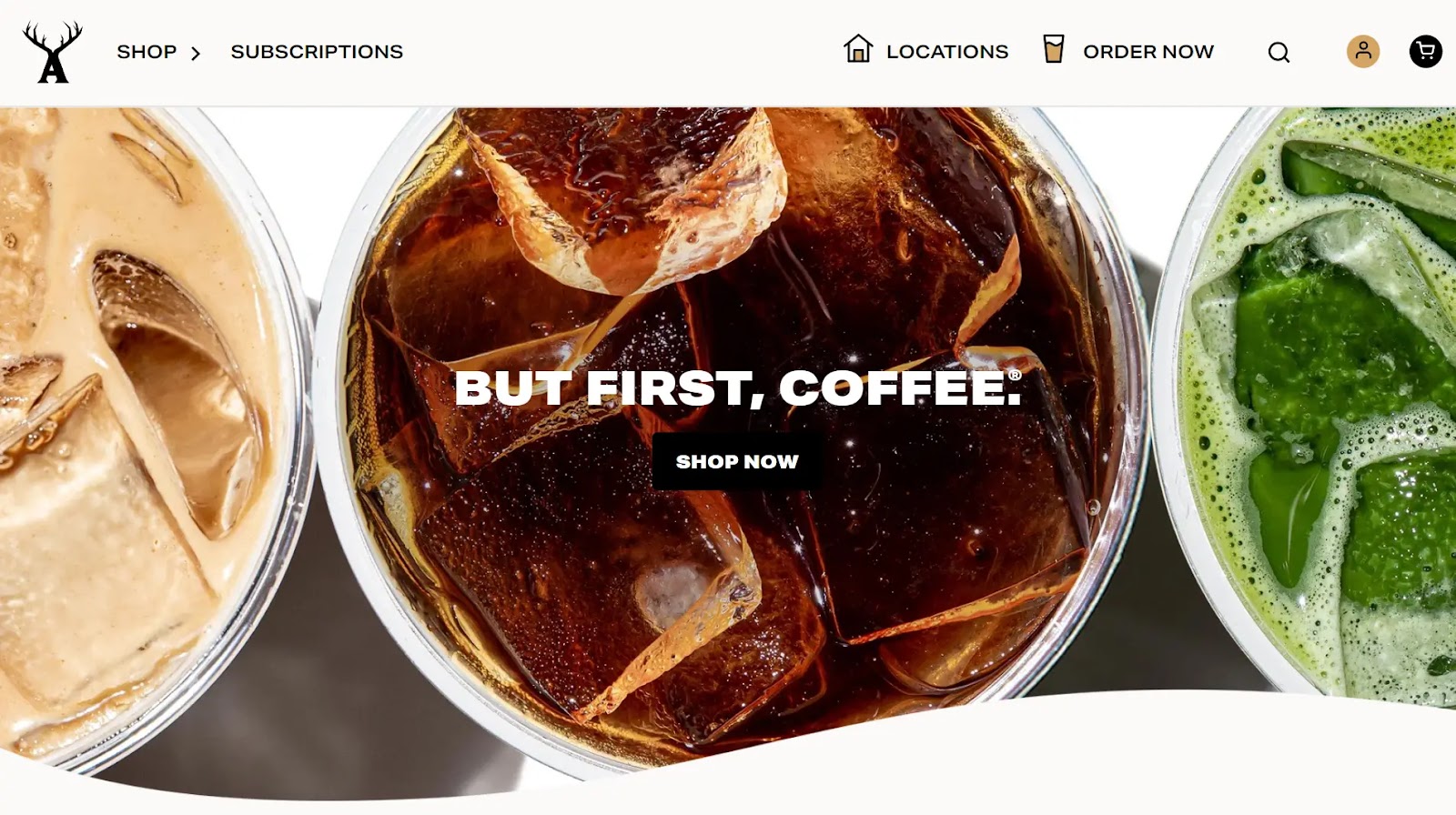
A B2C website example is Alfred, an online coffee shop that sells coffee products. Customers can buy coffee online from this site and even set up subscriptions at their preferred frequency.
Business-to-Business (B2B)
B2B ecommerce is when a business sells goods or services to another business over the internet.
B2B transactions are primarily between a wholesaler and a retailer, or a manufacturer and a wholesaler.
Alibaba is a B2B marketplace that sells clothes, machinery, and consumer electronics to business owners.
Business-to-Government (B2G)
B2G is an ecommerce model where a business sells products to the government (local, county, state, or federal).
Companies place bids to win government contracts.
For example, pharmaceutical and biotechnology giant Pfizer won a billion-dollar deal to supply the U.S. government with COVID-19 vaccines in 2022.

Consumer-to-Consumer (C2C)
C2C is a business model in which consumers sell goods or services to other consumers.
Online marketplaces provide a platform for consumers to interact and transact in a secure environment.
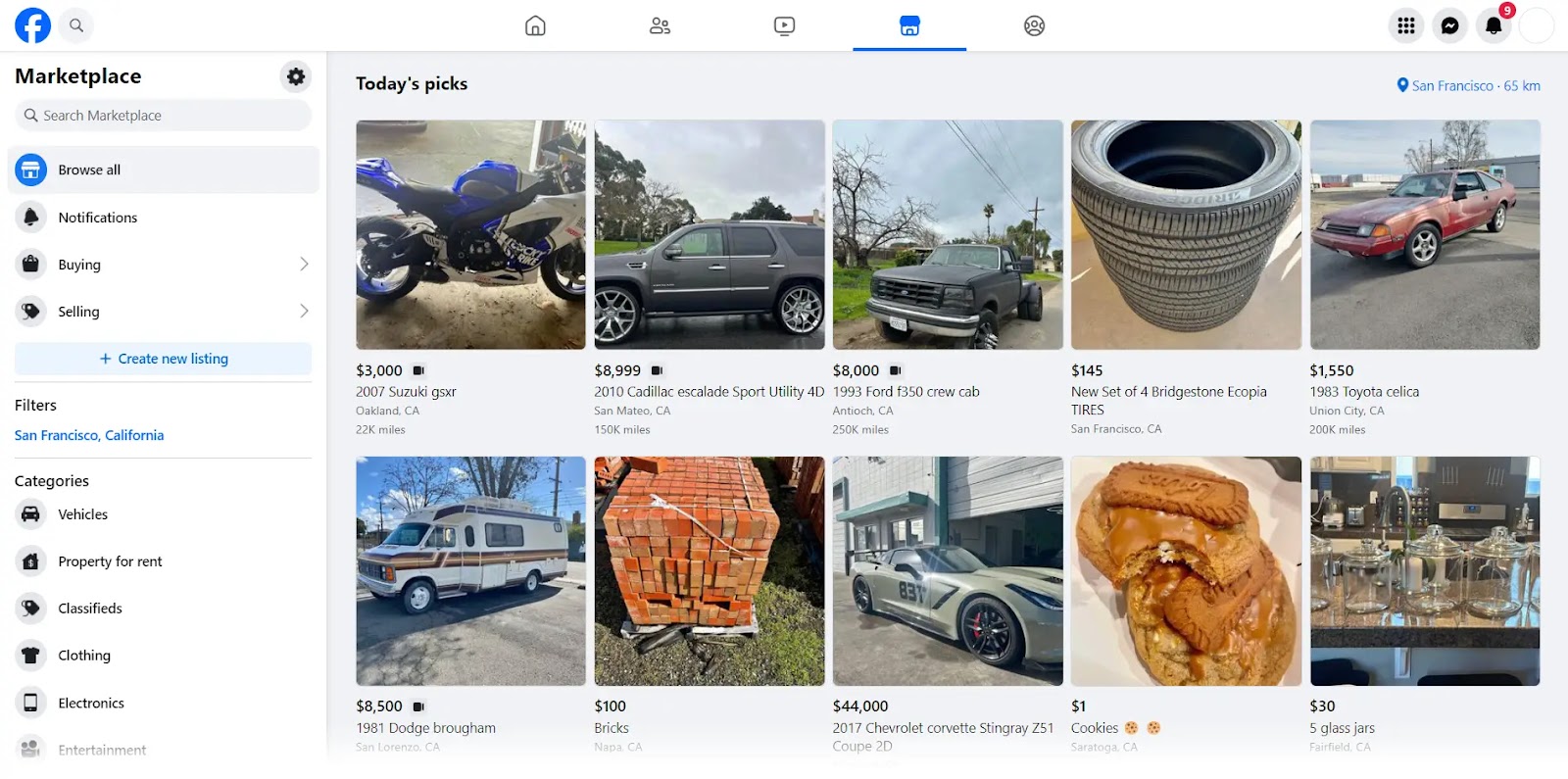
For instance, consumers can buy and sell baby care products, furniture, mobile phones, and more on Facebook Marketplace.
Consumer-to-Business (C2B)
The C2B model is when an individual sells physical products or services to a company.
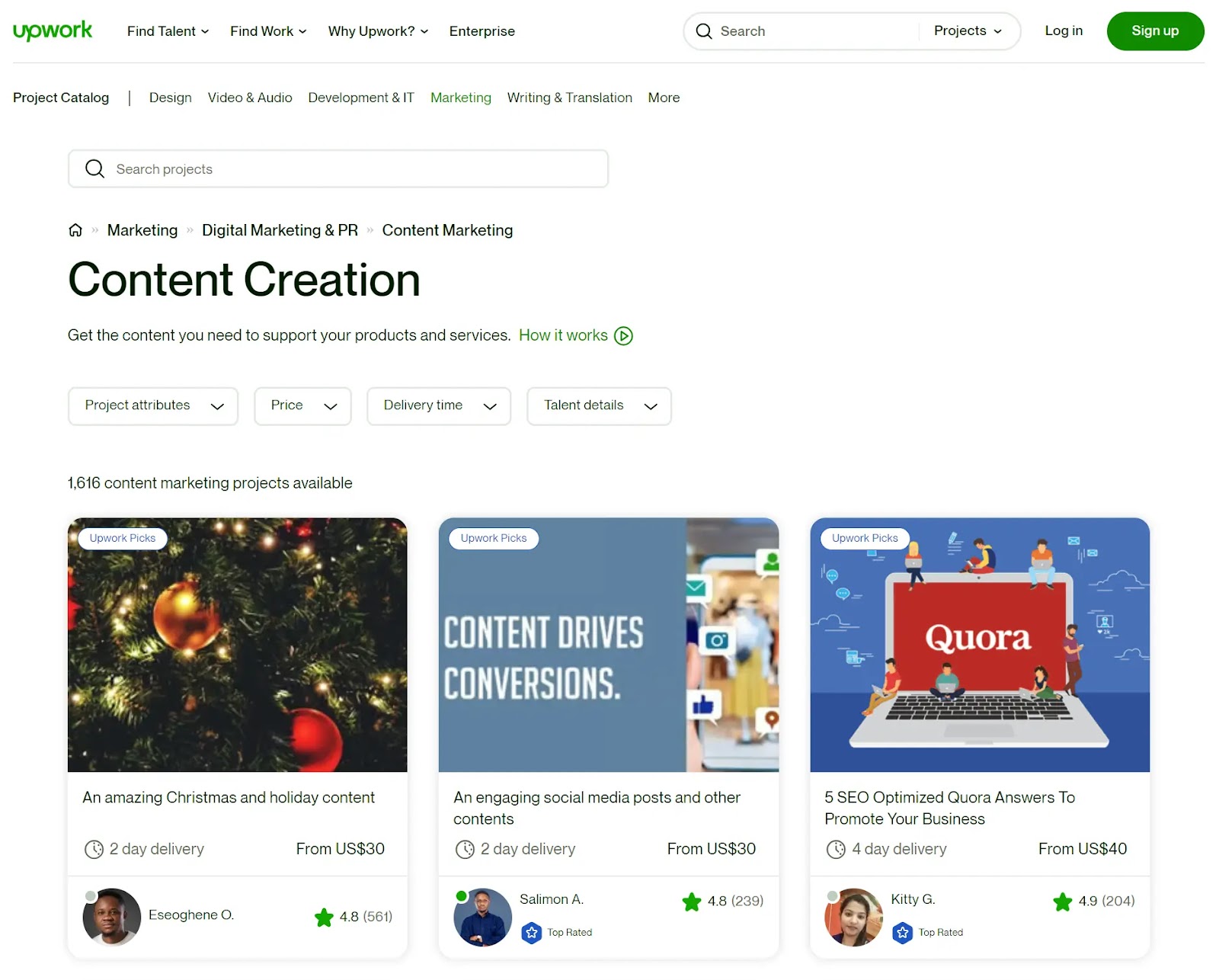
For example, an independent freelance writer can advertise their services (write ebooks, blog posts, or social media content) to businesses on a site like Upwork. Businesses and individuals can then buy these services on the platform.
Consumer-to-Government (C2G)
C2G ecommerce refers to transactions between a consumer and various government entities.
In the C2G model, consumers interact with government agencies directly and gain access to government services through an online platform.
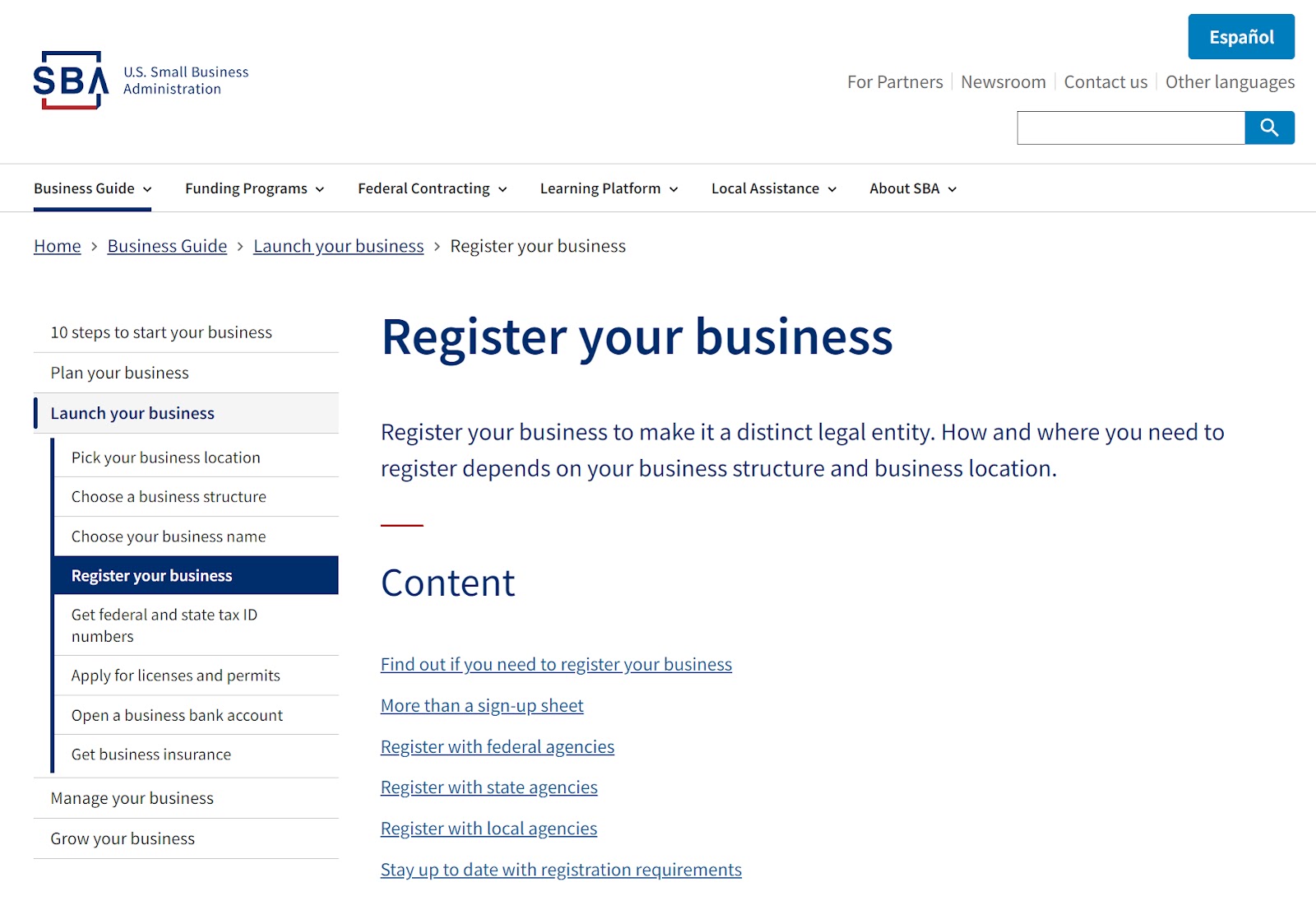
For example, company owners can register their businesses online on the official U.S. Small Business Administration website.
Further reading: 9 Profitable Ecommerce Business Ideas for Your Next Venture
The Benefits of Ecommerce Businesses
Buying and selling goods online has many benefits for both buyers and sellers.
- Wider reach: Allows businesses to expand beyond their local area, reaching regional or global markets
- Convenience: Offers flexibility and convenience, allowing consumers to shop anytime, anywhere
- Low costs: Reduces the need for physical space, cutting down on rent, utility bills, and property taxes
- Customer data: Provides access to valuable customer data, including purchase history and preferences, helping you choose products and improve the experience
- Faster service: Speeds up the buying process with smart automation, rapid browsing, and quick ordering systems
- Payment flexibility: Caters to customer preferences and enhances the shopping experience
- Affordable marketing and advertising: More cost-effective than traditional advertising methods
- Facilitates international trade: Breaks down geographical barriers, making it easier for businesses to enter international markets
The Challenges of Ecommerce Businesses
While ecommerce offers many benefits to business owners, it also comes with challenges.
- Ensuring website security: With the increase in online transactions, maintaining a secure platform is vital. This challenge provides an opportunity to earn customers’ trust by implementing robust security measures.
- Managing inventory: Keeping track of stock levels can be tricky, but it’s also an opportunity to streamline operations and reduce overheads
- Attracting traffic: Creative marketing strategies, like email and content marketing, can help draw in potential customers.
- Cart abandonment: 70.19% is the average shopping cart abandonment rate. Certain marketing tactics, like cart abandonment emails, can help recover these sales.
- Retaining customers: Building a loyal customer base can be challenging, but it also means opportunities to engage with customers and create lasting relationships
- Handling returns and refunds: Although managing returns can be complex, a smooth process can significantly enhance customer satisfaction
- Dealing with competition: A competitive market pushes businesses to continually evolve and improve their offerings
- Adapting to market changes: The ever-changing ecommerce landscape requires businesses to stay flexible and adaptable, fostering a culture of innovation and responsiveness.
How to Start a Successful Ecommerce Business
Starting an ecommerce business consists of a series of steps to set up your online store, source or create your products, and promote your website.
Here’s a step-by-step guide to help you launch your ecommerce venture.
1. Conduct Market Research
Before you can even think about products or selling, conduct market research on your business idea. Here’s how:
Identify Your Target Market and Niche
Find out who your ideal customers are using tools like Google Analytics and Facebook Audience Insights. These tools can help you discover the size, demographics, interests, and behaviors of your potential market and niche.
Pro tip
Create customized buyer personas with our free templates. Buyer personas help you understand your customers better and inform your marketing strategies and messaging.
Analyze Competitors
To learn from your competitors’ strengths and weaknesses, use our Competitive Research Toolkit.
The toolkit allows you to compare your website to competitors in key areas like traffic, keywords, pages, backlinks, and social media.
Find opportunities your competitors are missing using the Keyword Gap tool. To see which keywords your competitors are ranking for so you can outrank them.
2. Handle Legal Matters
Registering a business isn’t mandatory for all types of businesses, but it has many benefits that can help new entrepreneurs.
For example, registering a business can help you:
- Open a business bank account and access financial services
- Get funding from investors
- Enjoy tax advantages and deductions
- Protect your personal assets and limit your liability
- Enhance your reputation and credibility with customers and suppliers
- Comply with legal and regulatory requirements
Generally, sole proprietorships and partnerships do not need to register their business unless they want to use a trade name or a fictitious name for their business
On the other hand, corporations and limited liability companies (LLCs) must register their business in the state where they operate. These types of businesses have a separate legal entity from their owners and offer more protection and flexibility.
You can register your business online and learn more about the process on the official U.S. Small Business Administration (SBA) website.
The cost of registering a business varies from state to state, but according to the SBA, it’s typically less than $300.
You’ll need the following information to register your business:
- Business name
- Business location
- Ownership, management structure
- Registered agent information
- Number and value of shares (for a corporation)
The documents you’ll need vary according to your business type and state.
3. Buy a Domain Name
Buying a domain name is a crucial step in building your brand and business. It’s how your customers will find and remember you.
Some recommendations for choosing a domain name are:
- Make it short, simple, and easy to spell and pronounce
- Use keywords that relate to your niche and products
- Avoid numbers, hyphens, and trademarked names
- Choose a suitable extension, such as .com, .store, or .shop
Use a business name generator, like Namelix and Looka, to help you create a business name if you’re having trouble.
To buy a domain name, follow these steps:
- Choose a domain name registrar, such as GoDaddy, Namecheap, Cloudflare, or Google Domains. These are online services that sell and manage domain names.
- Search for the availability of your desired domain name using the registrar’s website. Use tools like Domain Overview to check the domain authority and backlink profile of existing domains.
- Select the domain name you want to buy and add it to your cart. Consider buying other extensions (.com, .net, .org, etc.) or variations of your domain name to protect your brand identity.
- Review your order and choose a payment plan. Most registrars offer yearly or multi-year payment plans. You may also get discounts or free services, such as email hosting or SSL certificates, depending on the registrar and the plan you choose.
- Complete the checkout process and confirm your purchase. You will need to provide your personal and payment information, as well as agree to the registrar’s terms and conditions.
- Verify your domain ownership and update your DNS settings. You will receive an email from the registrar with instructions on how to verify your domain and point it to your web host.
4. Decide on Your Ecommerce Platform
An ecommerce platform is a software application that allows you to create, manage, and run your online store.
It provides the essential features and functionalities for your ecommerce website, such as a product catalog, shopping cart, checkout, payment processing, order management, and more.
There are many ecommerce platforms to choose from, depending on your budget, preferences, and technical skills.
Some of the most popular ones are:
- Shopify: A hosted ecommerce platform that offers a user-friendly interface, a variety of themes and apps, and a free trial. Shopify is ideal for beginners and small to medium-sized businesses.
- WooCommerce: A free, open-source ecommerce plugin for WordPress that lets you customize every aspect of your online store. WooCommerce is suitable for non-coders who use the WordPress interface. It offers more out-of-the-box themes, plugins, and allows you to have more control and flexibility over your ecommerce site.
- Adobe Commerce: A powerful, self-hosted ecommerce platform that offers advanced features, scalability, and security. Adobe Commerce (previously Magento) is best for large enterprises and developers who need a high-performance ecommerce solution.
Deciding on the best ecommerce platform for your business depends on several factors.
Here’s what you should consider:
- Budget: How much can you afford to spend on your ecommerce platform? Some platforms charge monthly fees. Others require upfront or ongoing costs for hosting, development, and maintenance.
- Technical skills: How comfortable are you with coding and web development? Some platforms are more user-friendly and require little to no technical knowledge. Others are more complex and require some technical know-how.
- Business needs: What are your goals and expectations for your ecommerce website? Some platforms offer more features and functionalities than others, such as inventory management, marketing tools, analytics, and integrations.
- Design preferences: How do you want your ecommerce website to look and feel? Platforms like WooCommerce (on WordPress) offer more design options and customization than others, such as themes, templates, and plugins.
5. Source or Create Products
Will you source your products or make them yourself? The method you choose will significantly impact your initial costs and long-term business operations.
Consider the three primary sourcing methods:
- Wholesalers: These are suppliers that sell products in bulk at discounted prices. The more you buy, the less expensive each item becomes. You can also have wholesalers package and ship your products, which can save time and money.
- Manufacturers: Consider sourcing your products directly from manufacturers. This is like going straight to the source—bypassing any middle-person to get your products at the lowest possible cost.
- Create your own: Create your own products by hand or outsource the creation to a manufacturer who can execute on your vision. This method offers total control over your product, allowing for uniqueness that can set your ecommerce store apart.
6. Add Products to Your Ecommerce Site
Once you have your ecommerce platform and product sourcing ready, add your products to your online store.
To optimize your product pages, pay attention to the following elements:
- Product titles: Use clear, descriptive, and keyword-rich titles that accurately reflect what you sell. Avoid using generic or vague terms that could confuse customers or search engines. For example, instead of “Shoes,” use “Women’s Leather Ankle Boots.”
- Product descriptions: Write compelling, informative, and unique product descriptions that highlight product benefits and features. Use bullet points, short paragraphs, and subheadings for easy-to-read and scan descriptions. Include relevant keywords that match your customers’ search intent, but avoid keyword stuffing or copying content.